
Step by step guide showing how to submit a Support Ticket to request support from scraping solutions cloud job.
Please note that this article explains how to submit a support ticket for a data extraction job currently set up within the Scraping Solutions cloud portal. If you need support for a different product, please click the button below to find the best way to request assistance.
Step 1
Login to our cloud portal, If you don't have login details, please see this article here.
Step 2
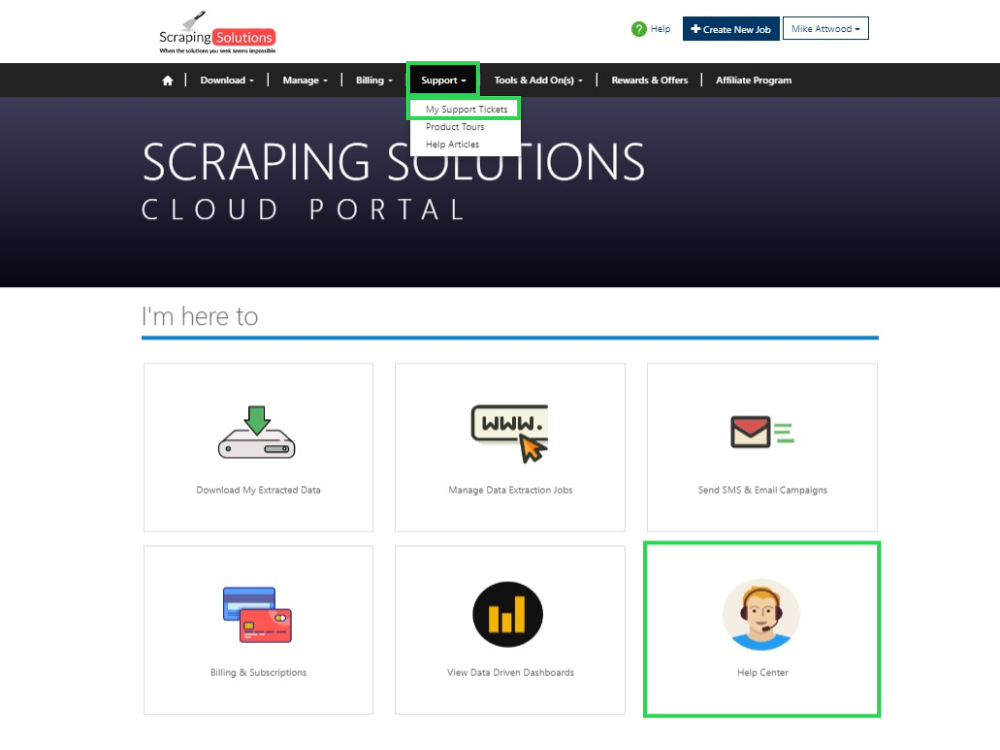
You can go to a Support Ticket area by clicking on Help Center and then selecting Support Tickets from the next page.
You can also click Support -> My Support Tickets from the top menu.
Step 3
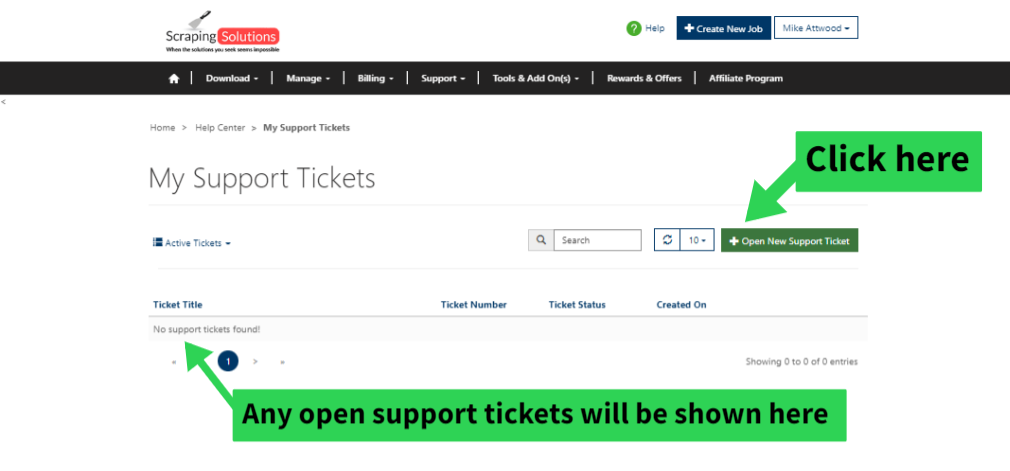
You will be brought to the following page where you can also view any Support Tickets you currently have open. Just Click Open a New Support Ticket to create a new support ticket.
Step 4
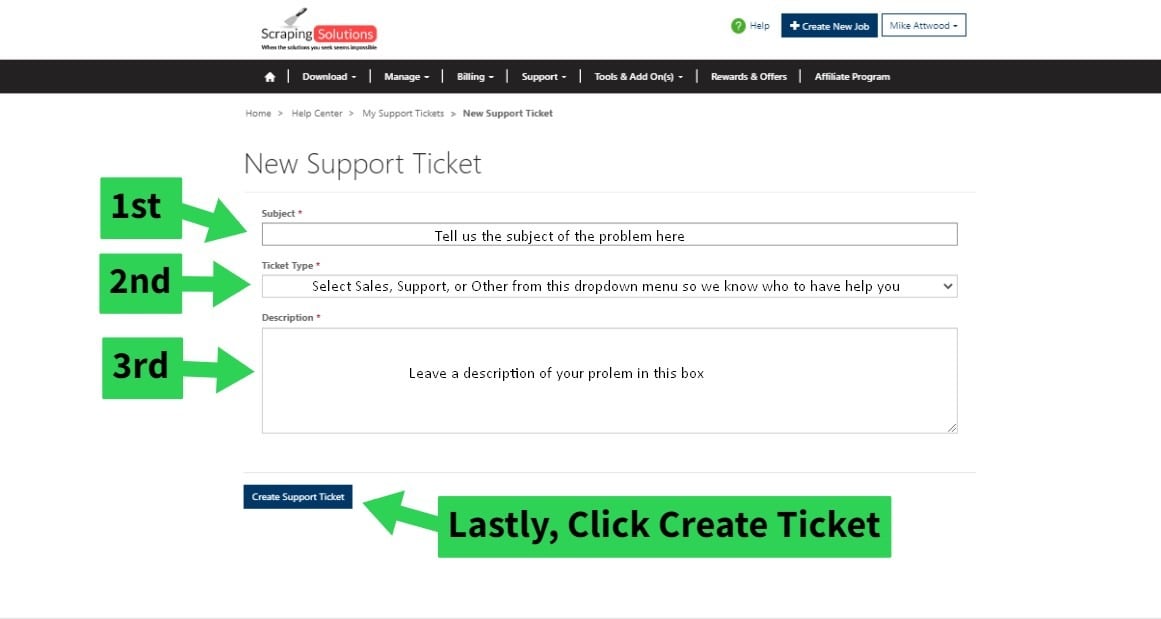
You will now be on the Open New Support Ticket page where you will want to do the following
Enter a brief subject line
Choose from Sales, Support, or Other from the drop down menu
Leave a decrption of your problem in the provided box
Then Click Create Ticket and one of our Support Staff will get right with you!
Step 5
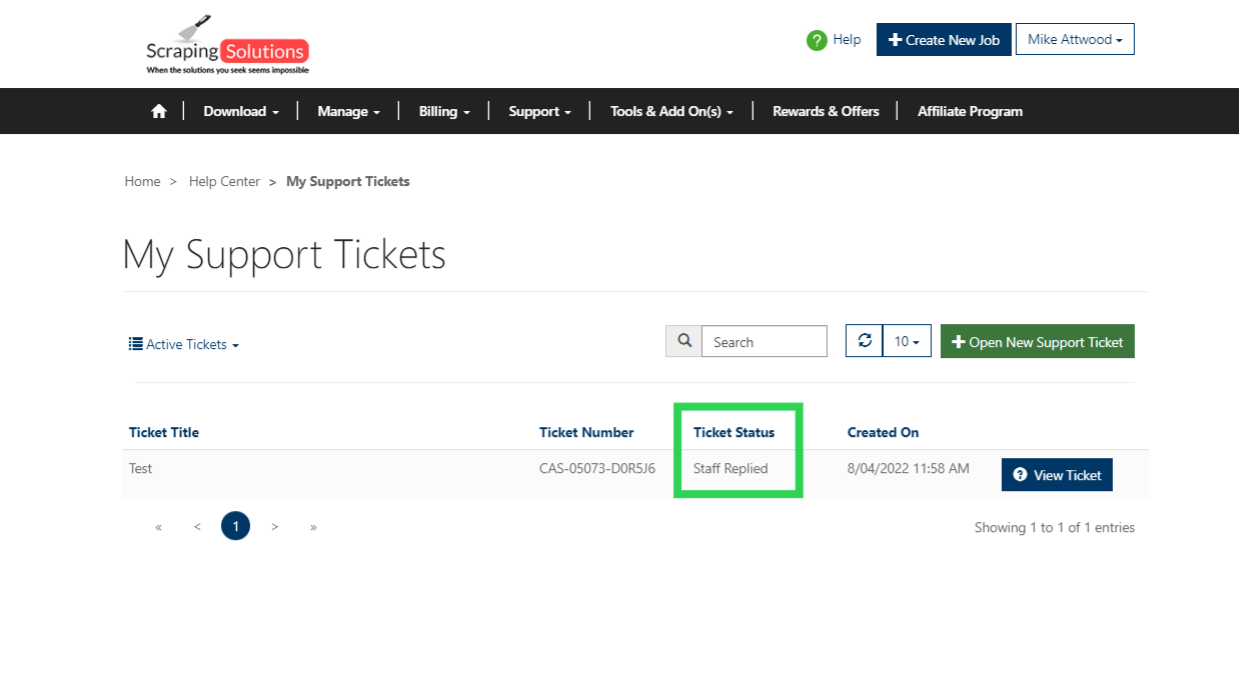
You can check the status of the support ticket you currently have open and be able to see if a Support member has replied to you Ticket.
Step 6
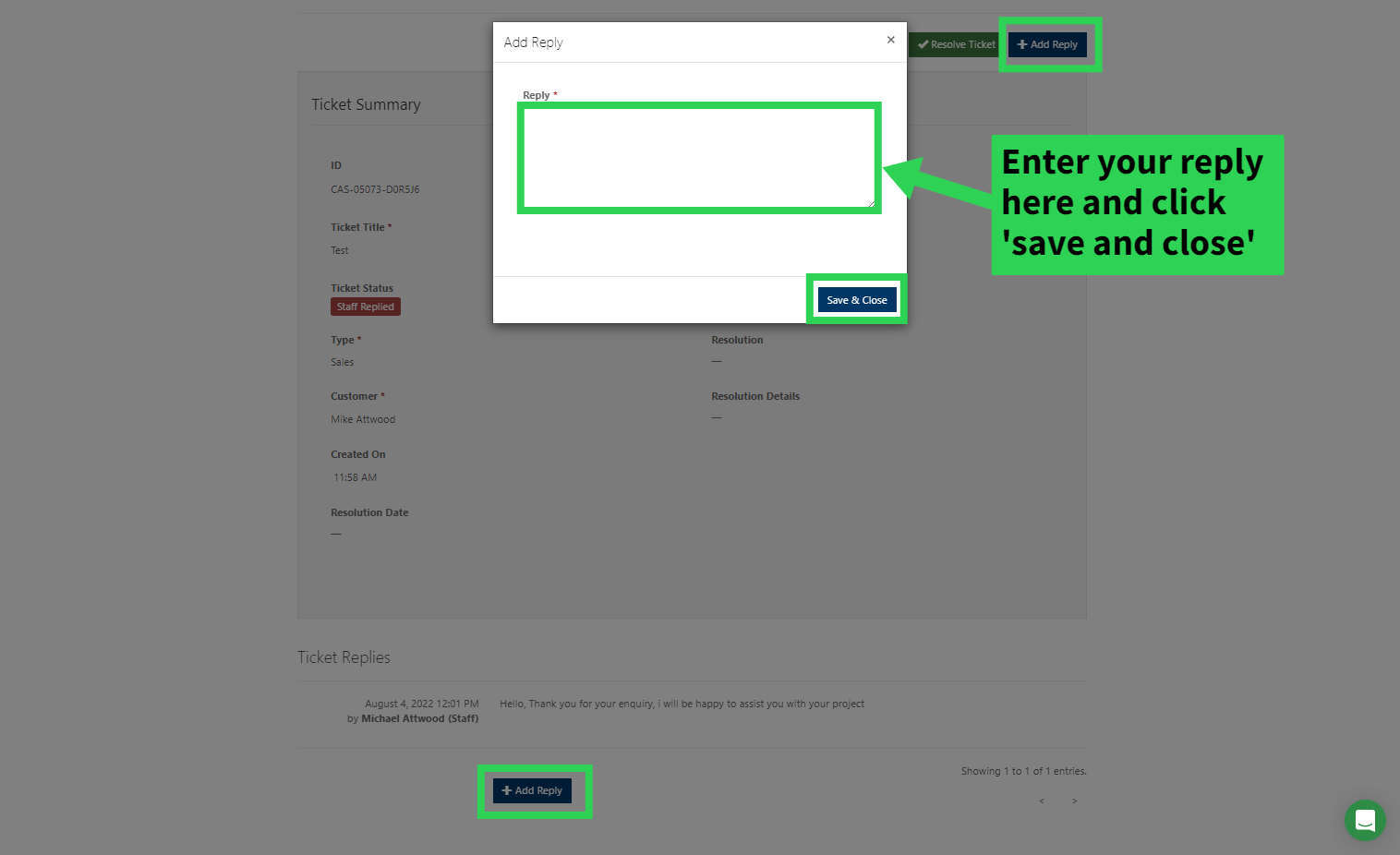
If you click on your Ticket Title you will be able to see any replies from the staff regarding the ticket. You can also add a reply back if you have anymore questions or concerns by Clicking either of the Add Reply buttons and a pop up window will you provide you a field in which to leave your reply.
Step 7
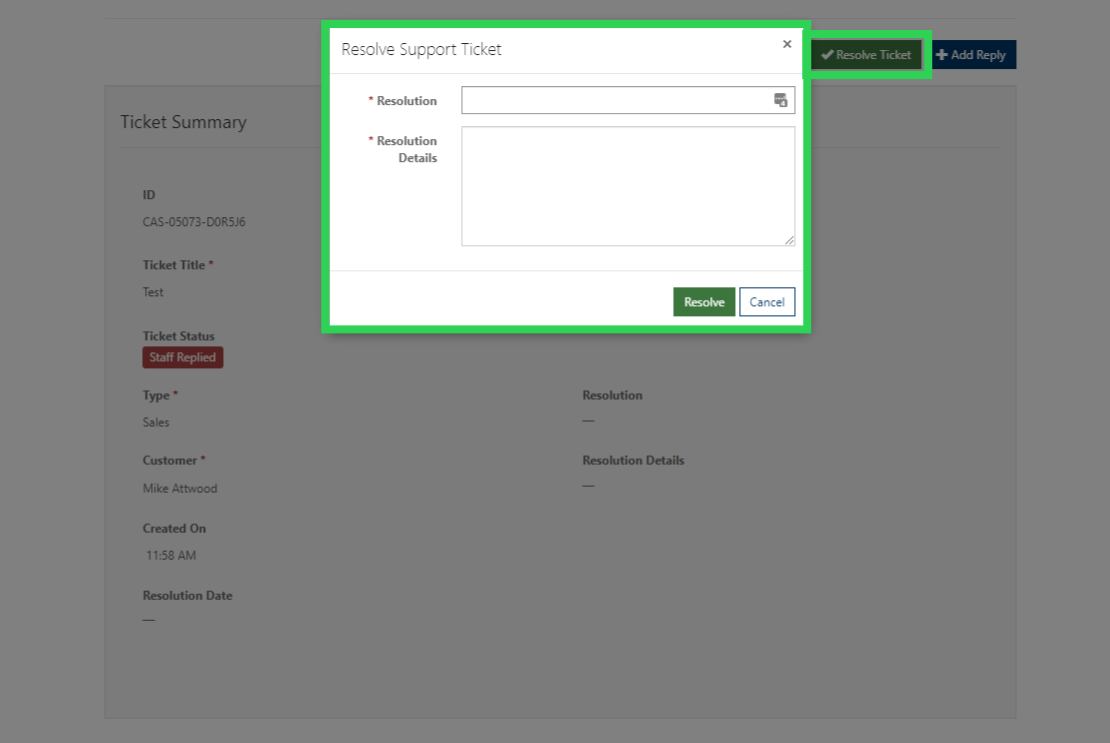
When your Support issue has been resolved please click the Resolve Ticket box. A pop up box will appear and you will be able to let us know how well we did in resolving the issue, the resolution, and a description.